
Free tools for live musicians
How to make a stage plot & input list
Give the venue a clear picture of your setup before load-in. Start with one of 10 editable templates, place your equipment, and export a stage plot, input chart and monitor plan in one PDF.
A useful stage plot in three steps
-
Place the people and gear
Enter the stage width and depth, then arrange instruments, amplifiers, mics, wedges and power. Our diagram shows the audience at the bottom and upstage at the top. Stage left is the performer's left when facing the audience — the right side of the drawing.
-
Label the patch and mixes
Use names the crew can match to your input list: “Lead vocal,” “Keys L,” or “Trumpet.” Add a channel for each microphone or DI output. List monitor destinations and the signals each player needs, with stereo pairs identified.
-
Review, export and send
Add the show, artist and technical contact. Say what you bring and what the venue must supply. Download the landscape Letter PDF, then send it through your usual booking contact and confirm the venue can meet the requirements.
Each full grid square is 1 × 1 foot, even when dimensions are entered in meters. Partial squares can appear at the edges. Instrument icons communicate placement; they are not measured equipment footprints.
Stage plot examples
These are starting arrangements, not fixed requirements. Adjust positions and channel counts to your players, instruments and the room.
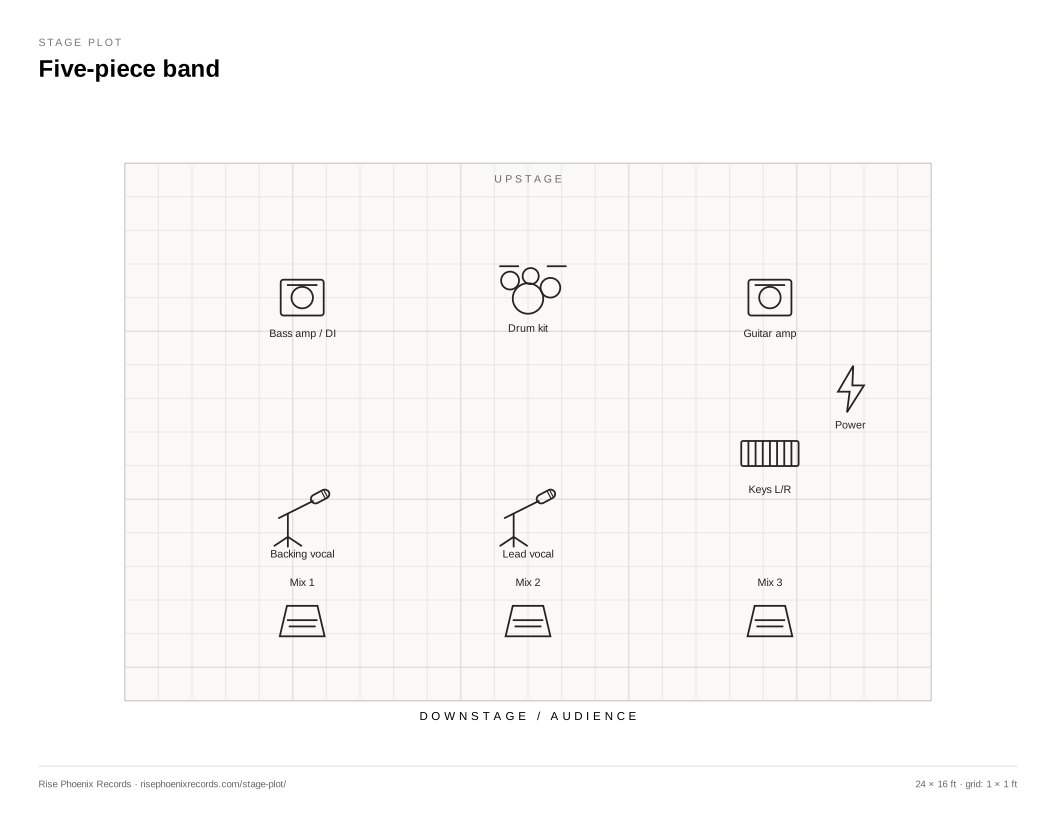
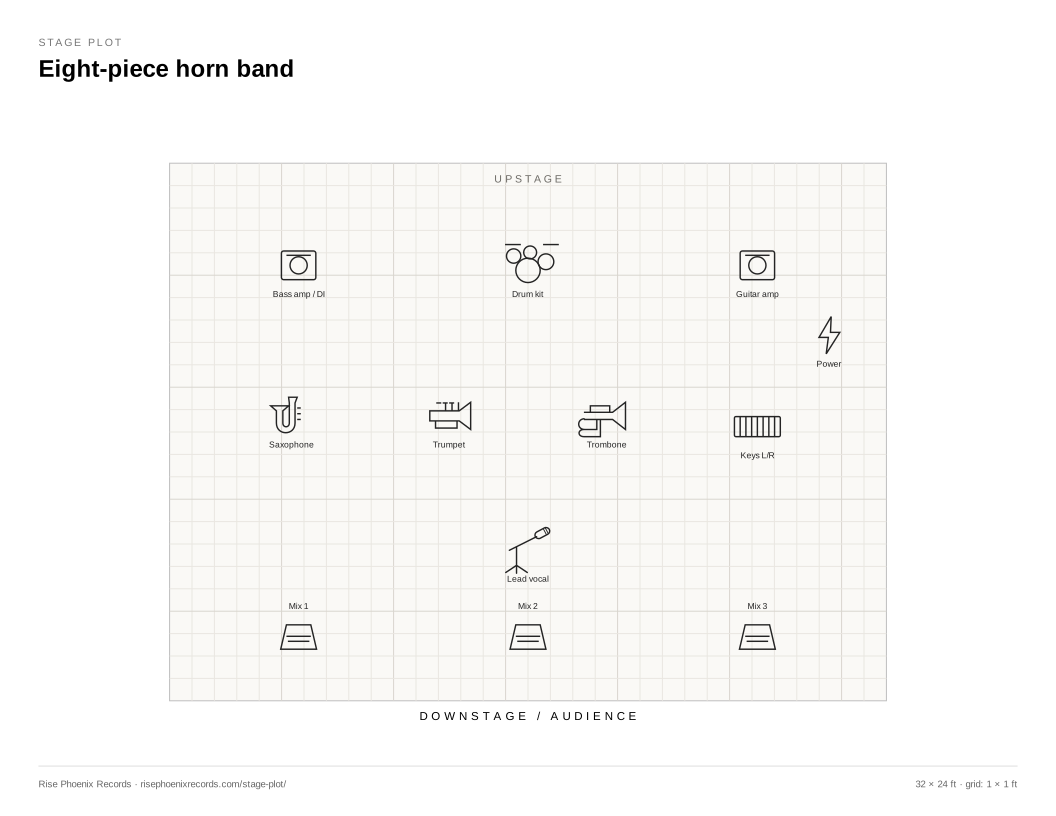
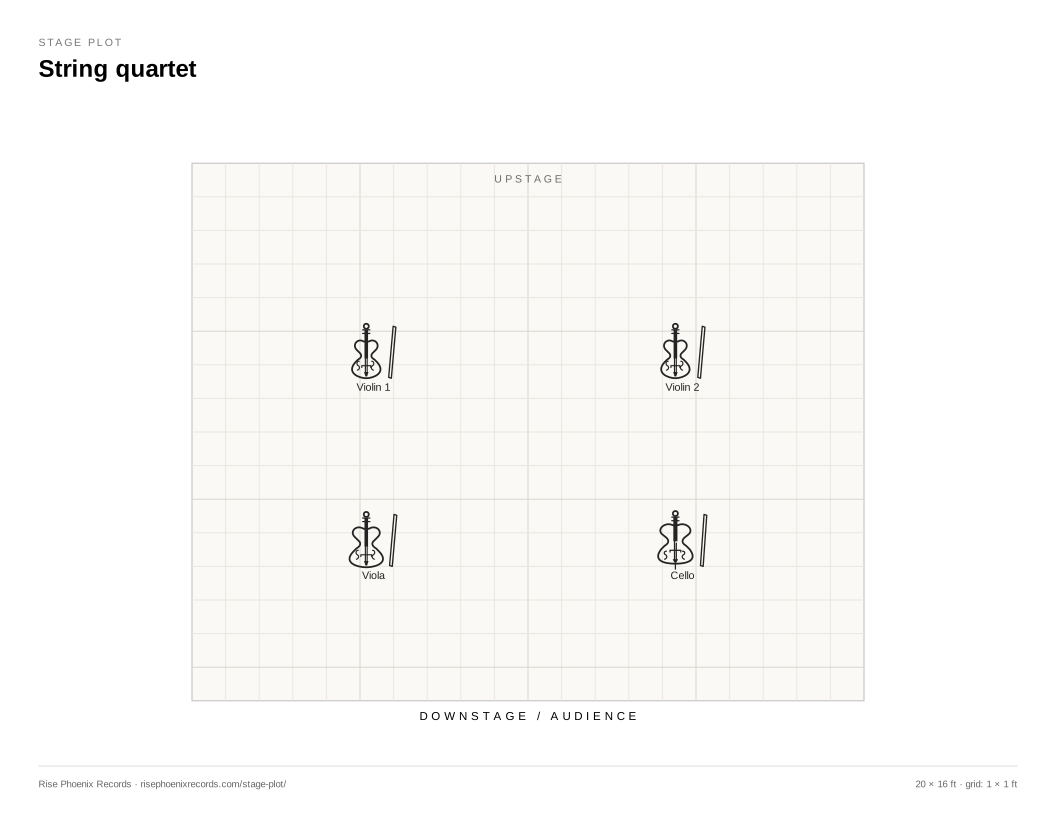
10 free, editable stage plot templates
Choose a lineup, then click Use starter in the maker. Your current draft is protected by a replacement confirmation. Every template includes a stage layout and input list you can change.
- Solo singer-songwriter12 × 10 ft · 4 items · 2 inputs
- Acoustic duo16 × 12 ft · 7 items · 5 inputs
- Acoustic trio24 × 16 ft · 8 items · 6 inputs
- Five-piece band24 × 16 ft · 10 items · 13 inputs
- Jazz quartet20 × 16 ft · 6 items · 8 inputs
- Jazz sextet28 × 20 ft · 9 items · 10 inputs
- Eight-piece horn band32 × 24 ft · 12 items · 15 inputs
- String quartet20 × 16 ft · 4 items · 4 inputs
- Chamber ensemble28 × 20 ft · 8 items · 9 inputs
- 17-piece big band40 × 28 ft · 20 items · 21 inputs
Stage plot, input list and output list: what goes where?
The stage plot answers “where?” It shows the positions of musicians, backline, microphones, monitors and power. The input list answers “what goes into the console?” Each row describes a source, microphone or DI, stand, phantom-power requirement and useful notes. Our maker numbers channels in row order and supports up to 96 inputs.
The monitor/output list describes what comes back to the performers. Use one row per mix: for example, “Lead vocal — IEM stereo — vocal and guitar — outputs 1–2.” Output numbers are agreed with the venue; a mix number alone does not specify the console patch. Up to 32 mixes can be added, reordered and exported with the PDF or as CSV.
Use technical notes for shared equipment, power, risers, playback routing and changeover details. A stage plot and channel lists are part of a technical rider; larger shows may also need separate production, scheduling and hospitality documents.
Stage plot maker questions
Can I make and download a stage plot for free without an account?
Yes. Create, edit, print and download PDF, SVG, input/output CSV and editable JSON files without signing in. A free verified artist account adds up to 100 private saved plots so you can reopen different setups.
How do I print the stage plot at the right size?
The PDF uses 11 × 8.5 inch landscape Letter pages. Select Actual size or 100% in the print dialog and turn off browser headers and footers. The input list, output list and notes follow on separate pages when present. Paper is 1:1; the real stage is drawn to fit the paper, not at life size. Physical printer margins vary.
Will my draft still be here next time?
A guest draft is kept in the current browser tab. Download editable JSON before closing it, or save to a free artist account for a private collection you can reopen on other devices. PDF and SVG are handoff documents; import JSON to continue editing the complete setup.
Can I make a stage plot for horns, strings or a large ensemble?
Yes. The equipment library includes saxophone, trumpet, trombone, flute, clarinet, violin, viola, cello and upright bass, along with music stands and chairs. Templates cover jazz, an eight-piece horn band, string quartet, chamber ensemble and 17-piece big band.
How do I share the plot with the venue?
Download the PDF and attach it to your booking or production email. Include a technical contact and confirm the venue received the latest version. Ask the venue for its advance deadline. Saved plots stay private in your account; this tool does not publish them or send messages automatically.
Does the free PDF include branding?
Free exports include a small Rise Phoenix Records credit. Eligible paid members receive exports without that branding. Creation, editing and all export formats remain free.
Build the setup you actually play.
Start with a template, check it with your band, and give the crew the details they need.
Prepared by Rise Phoenix Records · Updated October 20, 2026